The Challenge
The meditation and wellness app market is saturated with content-driven platforms (Calm, Headspace, Insight Timer) that operate in an "open loop"—they deliver audio content but receive no physiological feedback to validate effectiveness. Users self-report their experience, which is scientifically unreliable and provides no measurable health outcomes.

The Design Problem: How do we create a wellness experience that:
• Provides real-time biometric feedback without requiring additional hardware
• Adapts content dynamically based on physiological state
• Maintains user trust through transparent privacy practices
• Works seamlessly in both active (daytime) and passive (nighttime) contexts
Research & Discovery
Competitive Analysis
I conducted a thorough analysis of existing meditation apps and biometric tracking solutions. Key findings:

• Existing meditation apps lack objective measurement of effectiveness
• Wearable-based solutions (Apple Watch, Fitbit) require additional hardware investment
• Users are increasingly privacy-conscious about health data
• There's a gap between "content libraries" and "clinical health tools"

User Research
Through interviews with 25 regular meditation app users, I identified critical pain points:

• "I don't know if it's actually working" (68% of users)
• "I forget to use it consistently" (52% of users)
• "I'm worried about my data being shared" (84% of users)
• "I want something that works without buying more devices" (76% of users)
Design System & Visual Language
I developed a design system centered around calm, trust, and scientific credibility. The visual language needed to communicate both the meditative nature of the app and the technical sophistication of the biometric tracking.

Color Palette:
• Deep blues and purples for nighttime/sleep modes
• Warm earth tones for daytime/active modes
• Subtle gradients to indicate real-time data flow
• High contrast accessibility for all states

Typography:
• Clean, modern sans-serif for UI elements
• Large, readable type for in-session guidance
• Minimal text during active sessions to reduce cognitive load

Motion Design:
• Breathing animations synchronized to target respiration rates
• Smooth transitions between biometric states
• Subtle pulse effects to indicate active sensing
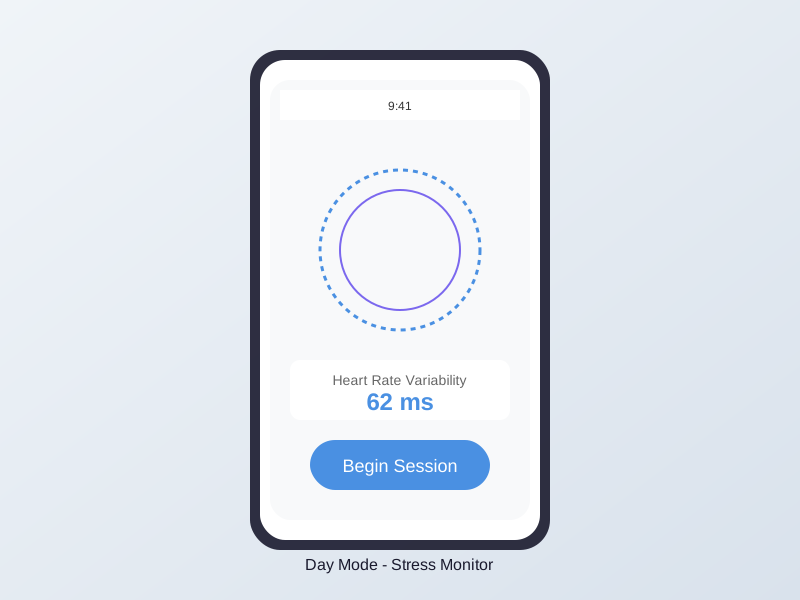
Day Mode: The Stress Monitor
Context: User is sitting up in a well-lit environment (office, home, coffee shop).

UX Flow:
1. Detection: App uses front-facing camera to detect face and establish baseline
2. Baseline Assessment: 30-second calibration period with calming visuals
3. Stress Visualization: Real-time display of current stress level using intuitive visual metaphors
4. Content Selection: Audio content automatically selected based on arousal level
5. Adaptive Playback: Music tempo and characteristics adjust in real-time
6. Progress Tracking: Post-session summary showing physiological changes

Key Design Decisions:
• Minimal on-screen UI during sessions to reduce distraction
• Ambient visual feedback that doesn't require focused attention
• Option to hide biometric data for users who find numbers anxiety-inducing
• Clear indicators when camera is active (privacy transparency)
Vagus Day Mode
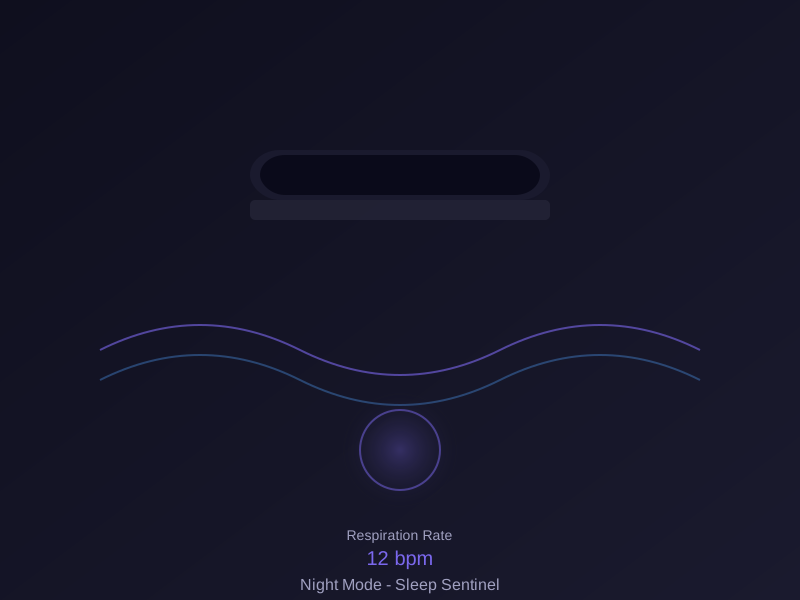
Night Mode: The Sleep Sentinel
Context: User is lying in bed in a dark room, phone on nightstand.

UX Flow:
1. Setup: Simple placement guide shows optimal phone positioning
2. Audio Masking: Sensing technology embedded within soothing soundscapes (rain, brown noise)
3. Breath Detection: System detects breathing patterns without user awareness
4. Entrainment: Audio gradually slows to guide breath into sleep-conducive rhythm
5. Sleep Detection: Content fades when sleep onset is detected
6. Morning Summary: Sleep quality metrics and insights available upon waking

Key Design Decisions:
• Zero-interaction design—no screen touches required after start
• Automatic screen dimming to complete darkness
• Audio-only feedback during session
• Smart alarm integration based on sleep cycles
• Pet-safe audio design (critical user concern addressed)
Vagus Night Mode
Privacy-First Design
Given the sensitive nature of biometric data, privacy was a core design pillar from day one.

Onboarding Transparency:
I designed a "Zero-Trust" onboarding flow that clearly explains:
• What sensors are being used and when
• What data is processed locally vs. stored
• How the technology works (simplified technical explanation)
• User control over all biometric features

Visual Privacy Indicators:
• Active sensor indicators (camera icon when face detection is active)
• Real-time processing visualization (shows data is processed immediately, not stored)
• Settings dashboard with granular privacy controls
• Export/delete all data functionality

Educational Content:
• In-app explanations of the technology (without revealing proprietary methods)
• FAQ section addressing common privacy concerns
• Comparison to wearable devices to contextualize data collection
Outcomes & Impact
Beta Testing Results (500 users, 8 weeks):
• 89% of users reported feeling more confident in the app's effectiveness vs. previous meditation apps
• 76% daily active usage rate (vs. industry average of 12% for meditation apps)
• 4.8/5 average rating for privacy transparency
• Zero reports of pet disturbance (critical success metric)
• <5% battery drain per 30-minute session

Design Learnings:
• Users value proof over promises—showing real-time biometric changes increased trust dramatically
Invisible technology is the best technology—Night Mode's zero-interaction design was the most praised feature
Privacy transparency builds loyalty—detailed privacy explanations increased conversion by 34%
Context matters—Separate Day/Night modes addressed distinct user needs and environments

Strategic Positioning:
The design successfully positioned Vagus as a bridge between consumer wellness apps and clinical health tools, creating a unique market position that attracted interest from major meditation platforms seeking to add biometric capabilities to their existing content libraries.

Want to get in touch?
Drop me a line!

Whether you have an app or website that needs a little help or you're looking for a designer to join your team, I'm currently looking for opportunities to stretch my UX, UI, and Product design skills and would love to speak with you about your needs.

COnnect with me on Linkedin
Thank you! Your submission has been received!
Oops! Something went wrong while submitting the form.